Feature
Artist Credit Lines
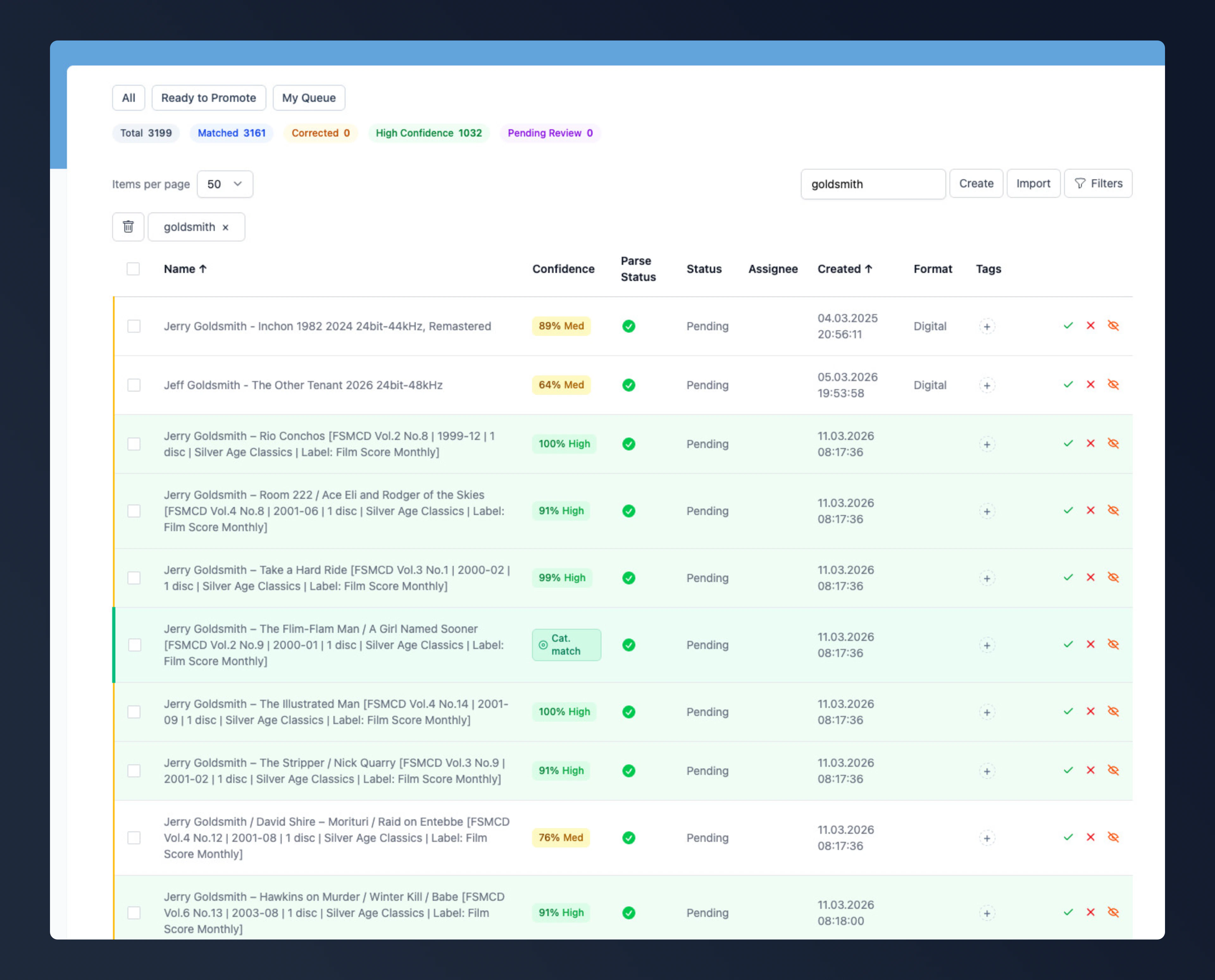
For years FMDB could only join artists with a comma. A soundtrack by Hans Zimmer and Lisa Gerrard showed up as “Hans Zimmer, Lisa Gerrard”, however the packaging billed them, and there was no way at all to say “featuring”. So guest artists ended up in the track title, like'Til the Burning's Through (feat. Brendan Bradley, Nican Robinson & Jordon Bolden). Three artists, and none of them could be clicked or searched for.Over the summer I rebuilt how artist credits work on releases and tracks. A credit line is now an ordered list of artists together with the words that join them - &, feat., with, or whatever the packaging prints. Each artist in the line is either a main artist or a featured guest.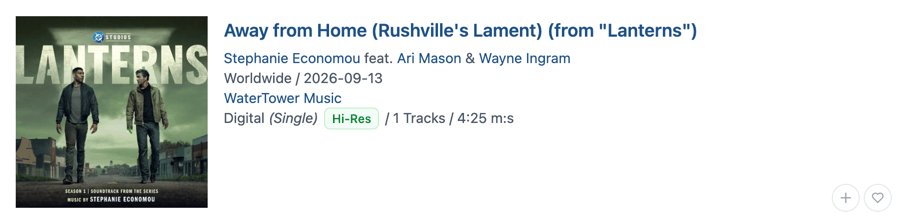
Where You’ll See It
Wherever a release shows its artists, the credit line now reads the way it’s printed: on the release page and in its tracklist, on release cards, upcoming releases and collections, and in Quick Search (⌘K). Nothing changes for existing credits. Two artists without a joining word still get the familiar comma.An artist marked as featured doesn’t count as an artist of the release when you filter search results. You can still find their guest spots: on an artist’s page, the Role filter has a Featured Artist value.Editing Credit Lines
If you edit releases or tracklists, every artist row has two new controls: a small field for the joining words and a Featured checkbox. Leave the field empty and you get a comma. The last row has no field because nothing follows it, and the first row has no checkbox because the first artist is always a main artist.The field suggests the usual phrases (feat., &, with, presents, aka). Type feat. and the next artist gets Featured ticked for you - untick it if you disagree. If an artist follows a featuring phrase without being marked Featured, the row tells you. Below the rows, a preview shows the finished line as you type.You can also reorder artists: drag a row by its handle or use the buttons to move an artist earlier or later. Before, fixing the order meant removing artists and adding them back one by one.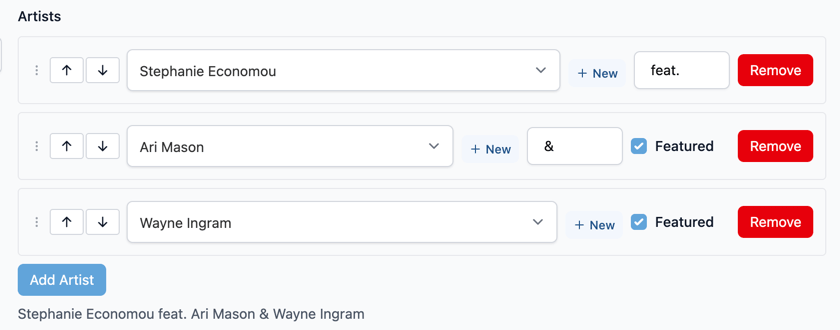
For API Clients
GET /api/releases/{id} and the release track endpoints now return full credit rows. Every entry in artists carries name_variation, position, join_phrase and credit_role (main or featured). Releases, tracks and sub-tracks also get a read-only artist_credit with the assembled line, for example "Hans Zimmer & Lisa Gerrard". All of this is additive, so existing clients keep working, and the free-text artist_text on tracks is still there. The new fields can’t be written through the API yet. New to the API? Last week’s announcement shows how to get started, and the details are in the API reference.What Didn’t Make It
I also built a “Featured on” section for artist pages, and then threw it out again. It repeated the discography right above it and got messy on pages with a long biography. The Role filter covers the same ground.The guests already sitting in track titles stay where they are for now. I won’t split those automatically, because one wrong split ruins a title for good. The plan is a report that lists them so they can be fixed one at a time.Questions about any of this, or a credit line that still won’t come out right? Come and talk to us on our Discord: https://discord.com/invite/MTJxANneZf— MarcusFeature
The FMDB API Is Open
Last September I announced an API, and in April I still had to write that it wasn’t publicly available yet. It is now. Anyone with an FMDB account can use the API, as a public beta.Getting Started
Sign in, open Settings → API Access Tokens and create a token. Treat it like a password. You don’t need a separate developer account - the API uses the same account as the website. Send the token as a bearer token with every request: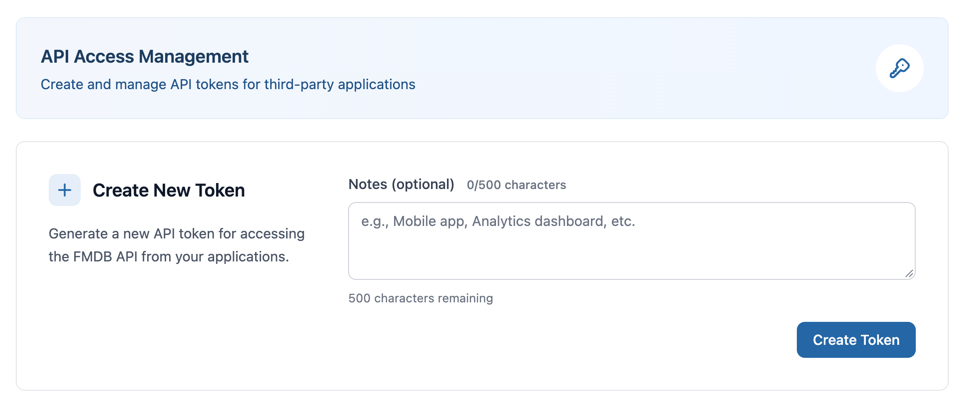
What’s In It
You can read releases with their formats, tracks and recordings, productions, artists, labels and organizations. Your own collection and wishlist are there too, and you can add, change and remove items in them.Responses follow the JSON:API conventions. Everything is documented in the new API Reference section of these docs, and each endpoint has a playground where you can send requests straight from the browser. It’s a beta, so things can still change.Rate Limits
Requests are counted per account. On the standard tier you get 10 reads per second, 300 per minute and 5,000 per hour; writes are limited to 30 per minute and 500 per hour. Every response carriesRateLimit headers showing what’s left, so you can slow down before you hit a 429. If you’re building an application that needs more, talk to me on Discord. Approved applications can get a higher tier.Coming Next: An MCP Server
I’m also working on an MCP server for FMDB. It will let AI assistants like Claude search the catalogue and look up releases and credits for you, using your FMDB account. More on that when it’s ready.Feature
Spring 2026 Update
It’s been a busy start to the year. Since January, I’ve been heads-down building out features that I’ve wanted for a long time - and a few that surprised me along the way. Here’s what’s new.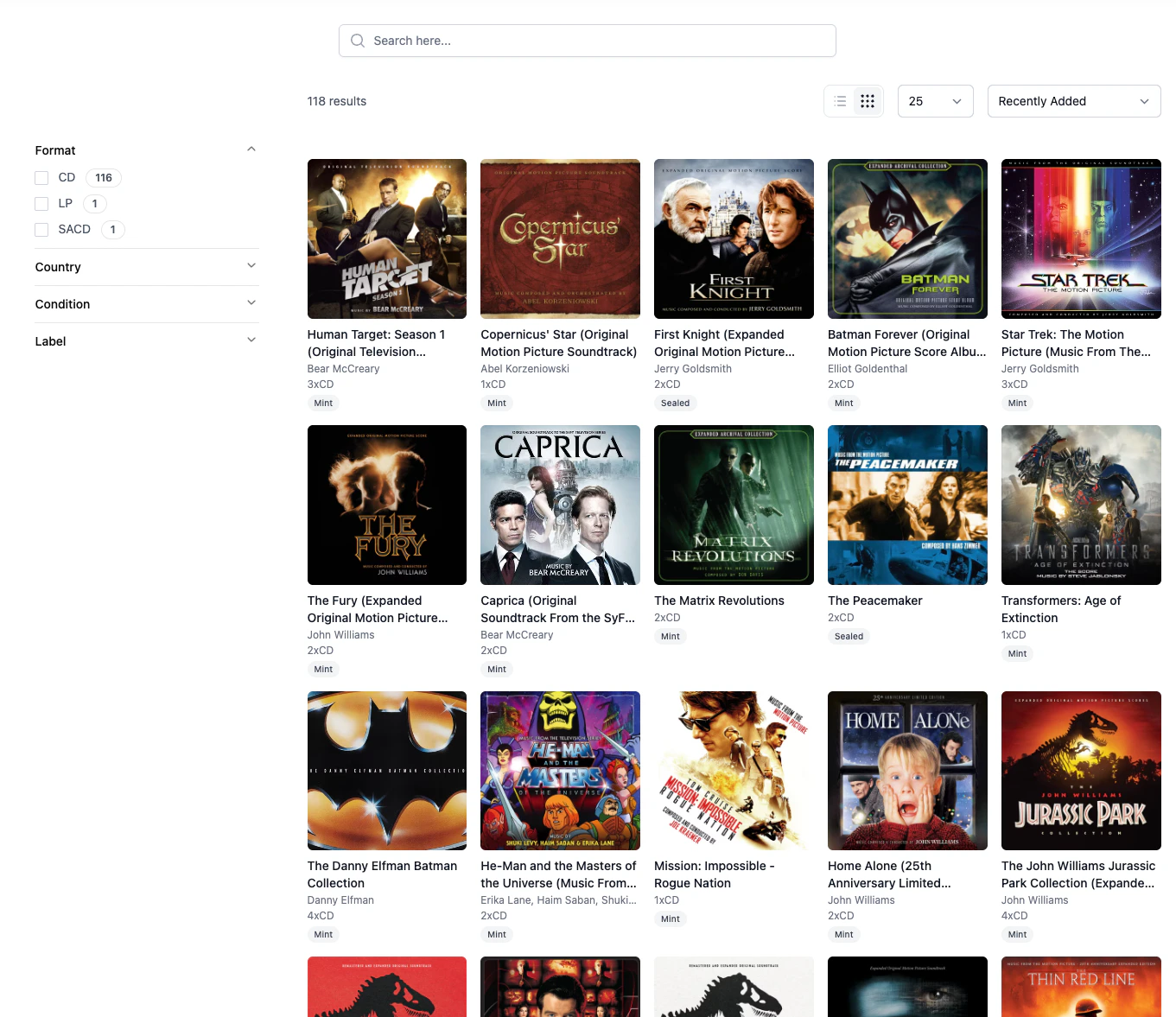
Your Collection, Your Way
The biggest addition this spring is the new Collection & Wishlist system. This has been the most requested feature since FMDB launched, and I’m happy to say it’s finally here.You can now track which soundtracks you own, which ones you’re eyeing, and browse your collection the way you’d browse a record shelf. Every release page has 2 buttons that lets you add it to your collection or wishlist with a single click - no more navigating away to a separate page.Here’s what’s included:A dedicated Collection page where you can browse, filter, and search everything you’ve added. Grid view with covers, faceted search by format, label, year - it works the way you’d expect.Privacy controls. A three-tier visibility system (private, friends, public) lets you decide who sees your collection. This is a global setting - simple and predictable.Collection statistics that give you a quick overview: how many releases, which formats, which labels appear most. Nothing fancy, but it’s satisfying to see the numbers.Quick-add buttons across the site. When you’re browsing search results or an artist page, you can add releases to your collection without ever opening the detail page.The collection system is available to all registered users.See all features: https://www.fmdb.net/features/collection-managementAn API Is Taking Shape
Behind the scenes, I’ve been building out a proper REST API. It’s not publicly available yet - right now it powers the upcoming iOS app and some internal tooling - but it’s growing fast.The API covers releases, artists, labels, productions, recordings, collections, wishlists, and more. It uses JWT authentication, follows OpenAPI conventions, and returns properly structured data including cover images in multiple sizes via imgproxy.Some of the more specialized endpoints include audio feature submission (timbre, harmony, texture vectors per track), audio fingerprints, IFPI label codes, and disc scan data. These are building blocks for features that will become visible to users over time.When the API reaches a stable state, I plan to open it up - first as a beta for interested developers, eventually as a core part of the platform.Finding Things Faster
Two additions that have changed how I use FMDB myself:Quick Search (⌘K). Press Cmd+K (or Ctrl+K) anywhere on the site and a command palette opens. It searches across releases, artists, labels, and productions simultaneously via Meilisearch’s multi-index search. Results appear as you type. I use this dozens of times a day now - it’s the fastest way to navigate the database.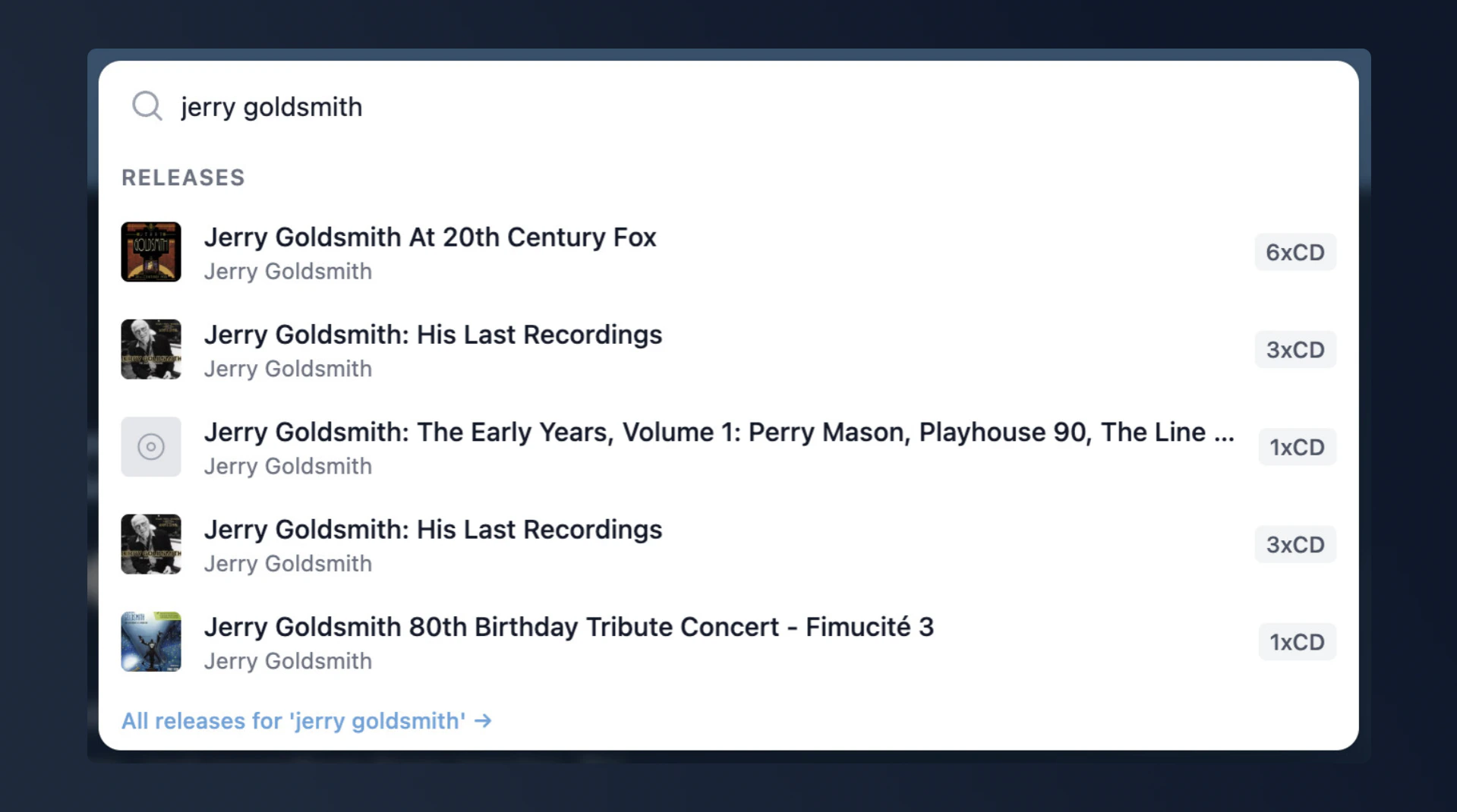
Source Cues on Tracks
A small but meaningful addition for film music nerds: tracks can now be marked as source cues. These appear as amber “Source” badges in the tracklist view.If you’re not familiar with the term - a source cue is music that exists within the world of the film. A song playing on a radio, a band performing at a party. It’s distinct from the underscore, which is the “invisible” music the audience hears but the characters don’t. Being able to distinguish the two in a tracklist gives you a much better picture of how a score is structured.External Links: MusicBrainz & VGMdb
Releases, artists and labels can now be linked to their MusicBrainz and VGMdb pages. These links appear on detail pages and help connect FMDB’s data with two of the most important external databases in the music and soundtrack space.MusicBrainz is the open music encyclopedia - it’s especially strong on metadata standards and identifiers. VGMdb is the reference for video game and anime music, an area where FMDB is growing but VGMdb has decades of depth.Apple Music badges appear on production pages where applicable.Schema.org: Better Visibility in Search Engines
This one isn’t visible in the UI, but it matters for discoverability. Release pages now include Schema.org structured data in JSON-LD format.Every release page outputs aMusicAlbum schema with track listings, artist credits, label info, and ISRC codes where available. Artist pages output MusicGroup schemas. The site also supports BreadcrumbList navigation and a SearchAction so Google can offer direct searches into FMDB.The result: FMDB pages are now eligible for rich results in Google Search - album cards with track listings, artist knowledge panels, and direct search integration.Platform Statistics
There’s a new Statistics page that shows a high-level overview of the database: how many releases, artists, labels, and productions are catalogued. It’s a simple snapshot, but it’s the first time this data has been surfaced publicly.Behind the Scenes: The Release Backlog
This section is a bit different - it’s about a system that most users won’t interact with directly, but that shapes everything they see in the database.The Release Backlog is where new releases enter FMDB before they become full database entries. When I discover a new soundtrack release - from a press announcement, a label catalog, a forum post - it goes into the backlog as a raw text line. Something like: